 Story
StoryI Cloned a $2.1M Dropshipping Store in 2 Hours Using AI
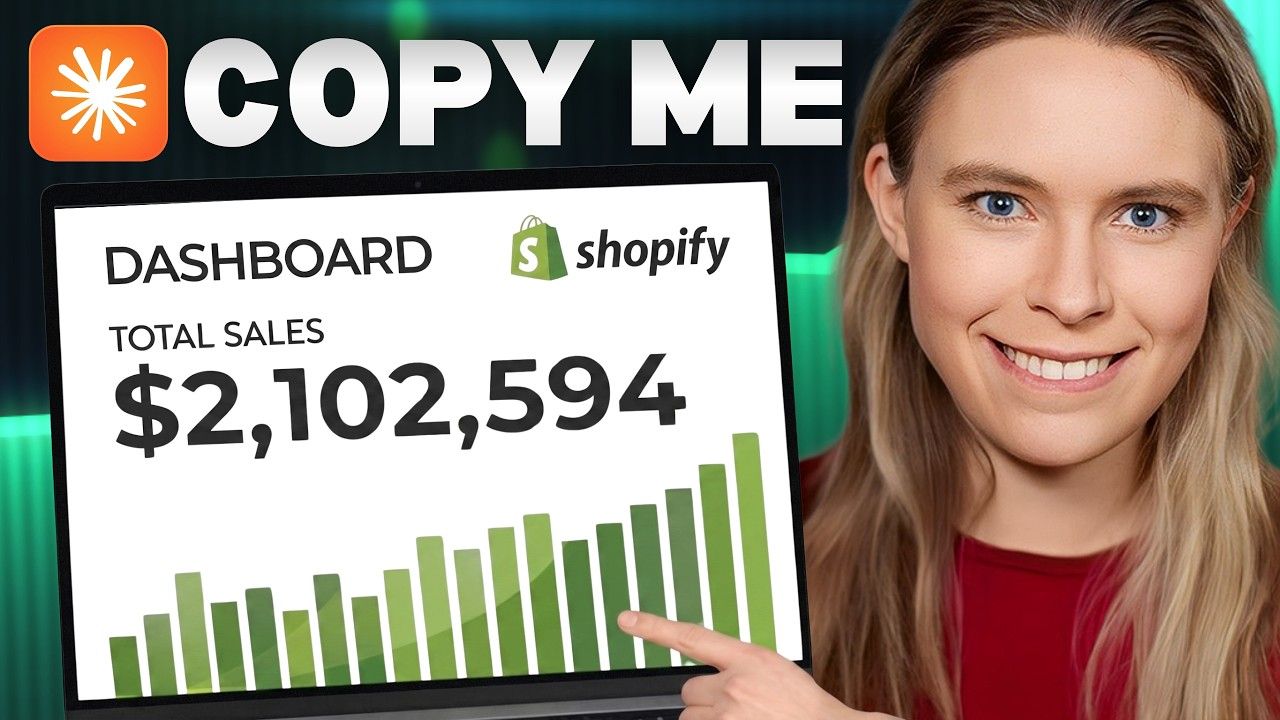
A TikTok gadget store called Shelvora made $2.1M in under a year. Here's how I reverse-engineered and rebuilt it in two hours using Claude Code, AutoDS, and AI-generated UGC ads.
Most people look at a wildly successful store and think, *that ship has sailed*. I look at it and think, *let me figure out exactly how that works and build my own version*.
That's what this was. A TikTok dropshipping store called Shelvora — trendy gadgets, open for less than a year, over 185,600 sales. When you do the math on average order values, that's north of $2.1 million in total revenue. One of their top products is a simple oil strainer. The kind of thing you'd scroll past on your For You page without thinking twice — until an AI-generated UGC ad shows it separating chilis from oil to make chili oil, and suddenly you're adding it to your cart at midnight.
That ad is the real product. And it's entirely AI-generated.
So I decided to run an experiment: use the newest wave of AI tools — Claude Code, AutoDS, Shopify's AI Toolkit, CreateUGC, Seedance 2.0 — and see if I could clone this kind of store in a single afternoon. It took two hours. Here's the whole workflow.
Step 1: Set Up the Store with Shopify & AutoDS
The foundation is getting Shopify and AutoDS talking to each other before you hand things off to an AI agent. Doing this manually used to take a full day of fumbling through settings, installing apps, and second-guessing theme choices. There's now a much cleaner path.
The tool: A site called Build Your Store (built by AutoDS in partnership with Shopify) handles the entire setup flow. You go through the on-screen prompts, activate your Shopify plan — there was a deal running at $1/month for the first 3 months — and register for AutoDS at the same time. It automatically connects the two platforms and installs a free premium theme that's already optimized for conversions.
Why it matters: If you're running TikTok ads, the overwhelming majority of your traffic is coming from phones. BYS installs a mobile-first theme by default, which isn't a small detail — it's probably the difference between a 1% and 3% conversion rate. The design has to feel native to the platform your customers just came from.
Plan recommendation: The AutoDS Starter plan is worth it for the automation features alone. You want the automations — price monitoring, auto-ordering — not just the product catalog.
Step 2: Connect Everything to Claude Code
Once the store infrastructure is live, you hand it over to Claude Code. This is Claude AI's autonomous agent — not just a chatbot you go back and forth with, but a system that can complete multi-step tasks independently, making its own choices along the way.
How to connect: Download the Claude Code desktop app. Inside the app, go to Customize → Connectors, search for Shopify and AutoDS, and log into each account through the prompts. That's it. Claude now has access to manage your store and your product catalog.
What this unlocks: Instead of manually listing products one by one, you can now give Claude a task and walk away. The agent will navigate AutoDS, pull products, push them to Shopify, and handle the tedious parts that used to eat entire days.
Step 3: Find & Add Products with AI
This is where the cloning actually happens. Before prompting Claude, I made a folder on my computer with screenshots of Shelvora's storefront and a PDF listing their top 100 selling products. That context is everything — without it, you're just asking Claude to guess.
The prompt: I told Claude to access AutoDS, find those specific products from my reference folder, add them to my Shopify store, and generate optimized product titles and prices while doing it.
The result: Over 100 products added in approximately 54 minutes. That's a task that would have taken a dedicated weekend of manual work.
The polish pass: After the bulk upload, I ran a second Claude session — this time using the Shopify connector directly — and asked it to go through every product title and rewrite them to sound more natural and conversion-focused. Less "Stainless Steel Kitchen Cooking Oil Filter Separator Tool" and more something a real person would actually search for or click on. That pass took 5 minutes.
The gap between 54 minutes and 5 minutes tells you something important about where AI is genuinely useful right now. Bulk, repetitive operations with clear parameters? Blazing fast. Fine-tuned creative judgment? Still fast, but requires the right framing.
Step 4: Create AI-Generated UGC Video Ads
Here's where I think most people underestimate what's now possible. UGC ads — content designed to look like a casual user post rather than a polished brand ad — outperform traditional ads on TikTok because they blend in. They don't trigger that instant "this is an ad, skip" reflex. Adobe's own research confirms this: authentic-looking content dramatically reduces ad fatigue.
The old way to make UGC ads was to pay real creators to film themselves using your product. That costs time, money, back-and-forth, and shipping product samples. The new way involves three tools used in sequence:
Tool 1 — AI Image Generation (Google's Nano Banana Pro via Higgsfield): I generated a point-of-view style photo of someone using the oil strainer. POV shots work particularly well for kitchen/cooking products because they feel like something a real person casually filmed. The key is in the prompt — you want lighting, hand positioning, and context that feels organic, not studio-clean.
Tool 2 — Seedance 2.0: This is the video model that turns that static image into a hyper-realistic B-roll clip. Seedance 2.0 specifically handles motion in a way that looks genuinely convincing — liquid moving through the strainer, steam, natural hand tremor. The kind of detail that makes a viewer's brain register it as real footage rather than generated content.
Tool 3 — CreateUGC: This tool generates an AI avatar video. You provide a product description and a script, and it outputs a clip of a realistic-looking person talking directly to camera about the product. The avatars have gotten good enough that casual viewers won't stop to question it.
Editing in CapCut: The final step is combining the avatar clip and the B-roll clip in CapCut. The edit matters more than people think — quick cuts to remove any pauses, tightening the pacing so it matches the rhythm of content people are already used to scrolling through. TikTok audiences have extremely calibrated instincts for what feels slow. When in doubt, cut faster than you think you need to.
The entire ad creation process for one product took a fraction of what it would have taken even six months ago.
Takeaways
What struck me most doing this wasn't any single tool — it was how well they stack. Shopify handles the storefront. AutoDS handles sourcing and fulfillment logistics. Claude Code acts as the brain that connects and operates both. CreateUGC and Seedance handle the top-of-funnel creative. CapCut ties the final output together.
None of these tools are doing something totally new in isolation. What's new is that they're interoperable now — you can hand off context between them and build a real workflow instead of switching between tabs manually and losing momentum every time.
Shelvora didn't succeed because they had some unfair advantage in the gadget space. They succeeded because they found a format (AI UGC ads), a platform (TikTok), and a product category (trendy kitchen/lifestyle gadgets) that clicked together. That combination is replicable. The tools to replicate it in an afternoon now exist.
If you've been waiting for the barrier to entry to drop low enough — it's dropped. The question is just whether you'll actually do something with that.
Original video
https://www.youtube.com/watch?v=hKFv6qqFjTk